Character My collection of edited out Girls Frontline 2 cards

trpotat22

trpotat22

Veteran Member
Joined
Dec 27, 2025
Messages
65
Reaction score
619
Points
83
Credits
7,170
Hi, i encountered problem, after kiss basti face change to strange greyish color(https://pixvid.org/image/z6PLS), as far as i understand problem is tied with face overlays, in editor i get this greyish face when i delete overlays. I have latest betterrepack release and updated to latest HF patch. Maybe you can advice me how to fix this?
Sorry for image link, for a reson editor can embed my link properly
Good question, I have no idea. Does that happen with the other cards as well?
I test these cards only in the Character Maker and Studio, I don't think I loaded them even once inside the actual game.
Also I very much recommend disabling Depth of Field.
And I just checked, it works fine on my end.

as far as i understand problem is tied with face overlays, in editor i get this greyish face when i delete overlays.
Why are you trying to delete the overlays.
If you delete it then that's how the face is going to look like.


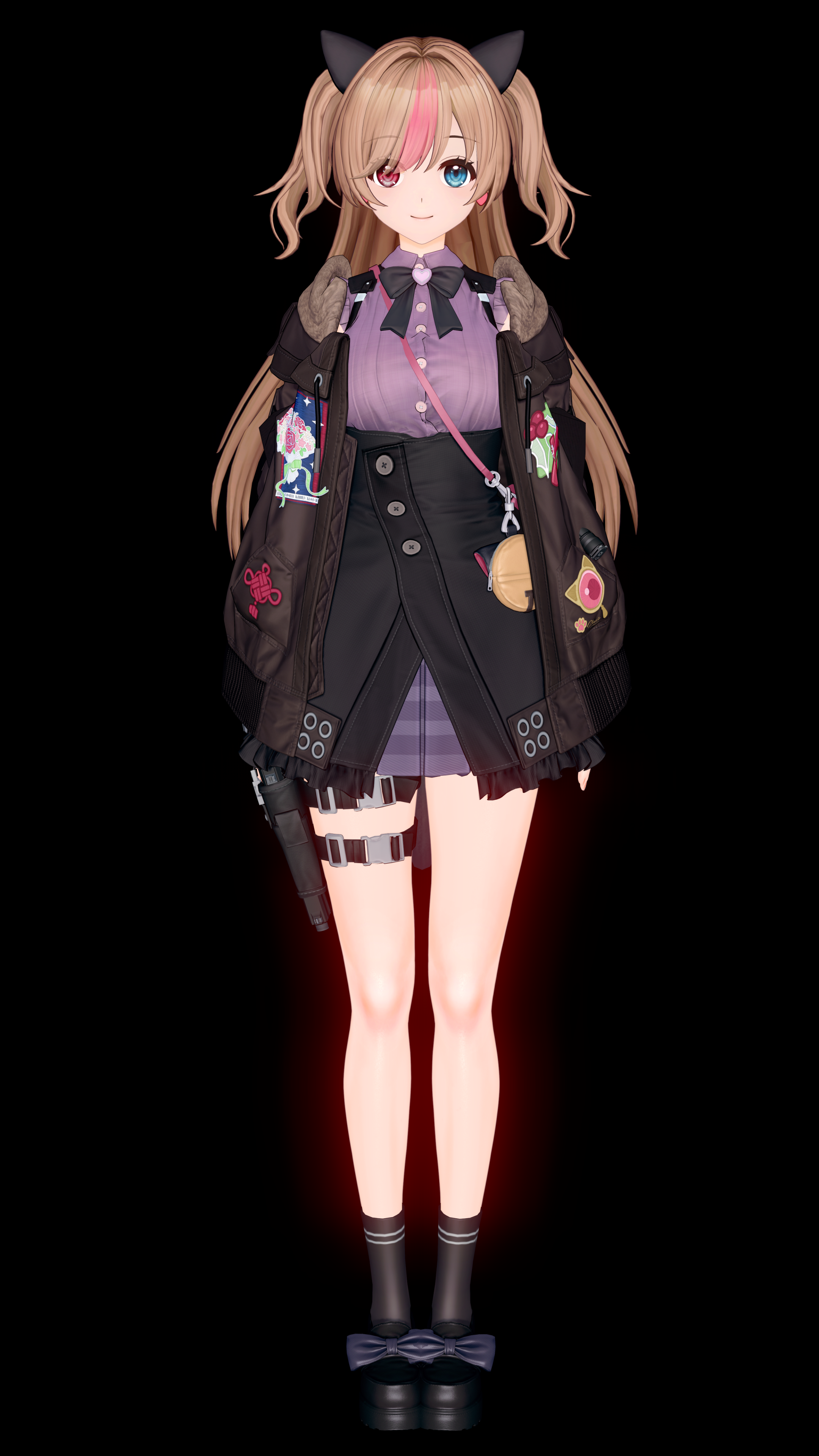
And about the Basti card, I'll be updating it soon, but I'll be switching every shader to KKUTS, or at least for clothes since it allows me to make it look closer to how it looks like in GFL2:
z6eSk.png
The face will have slightly different color like in the image, body as well (I haven't adjusted it yet).
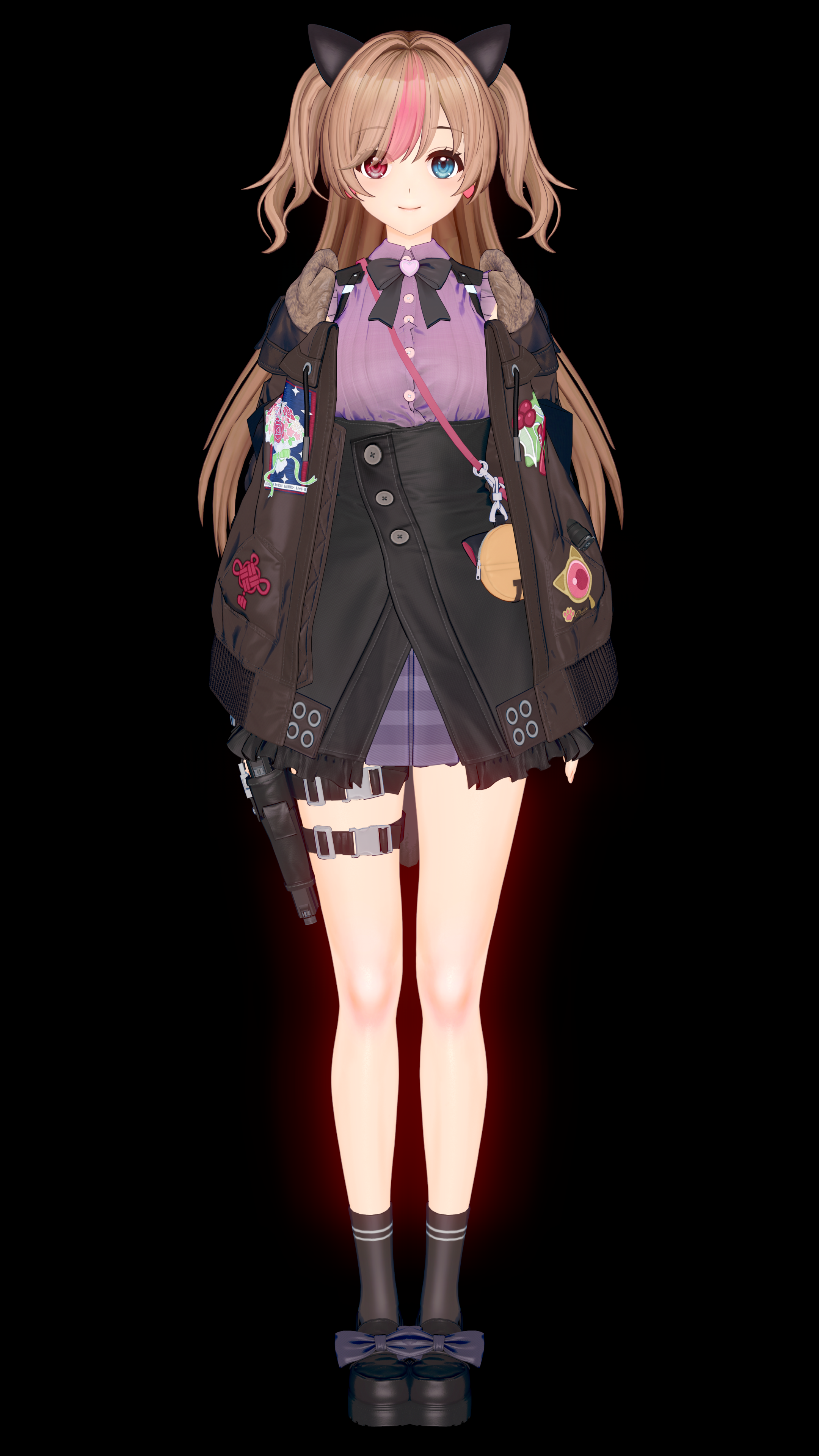
Here's the old version as a comparison:
But it won't be uploaded so soon, since that update will come together with the G41 card (so she will be relased on the GLF2's CN server in a few days, then it will take another few days for people to get the headmod and clothes into the game, then I'll need to get that, then I'll spend a few days adjusting the card so the body matches what you have in GFL2 and later adjust the textures of all clothes, then make an additional custom outfit by using existing KK's clothes and that will take me another 1-2 days, so the update should be out in the next 2 weeks)
 
Last edited:
A

Artemis2088

New member
Joined
Mar 3, 2026
Messages
4
Reaction score
1
Points
3
Credits
70
Good question, I have no idea. Does that happen with the other cards as well?
I test these cards only in the Character Maker and Studio, I don't think I loaded them even once inside the actual game.
Also I very much recommend disabling Depth of Field.
And I just checked, it works fine on my end.


Why are you trying to delete the overlays.
If you delete it then that's how the face is going to look like.


And about the Basti card, I'll be updating it soon, but I'll be switching every shader to KKUTS, or at least for clothes since it allows me to make it look closer to how it looks like in GFL2:

The face will have slightly different color like in the image, body as well (I haven't adjusted it yet).

Here's the old version as a comparison:


But it won't be uploaded so soon, since that update will come together with the G41 card (so she will be relased on the GLF2's CN server in a few days, then it will take another few days for people to get the headmod and clothes into the game, then I'll need to get that, then I'll spend a few days adjusting the card so the body matches what you have in GFL2 and later adjust the textures of all clothes, then make an additional custom outfit by using existing KK's clothes and that will take me another 1-2 days, so the update should be out in the next 2 weeks)
I try to delete overley to indicate where is the problem, just open material editor try to change shaders and in the end just reset everything to look where the problem i encountered in game appear. Anyway thank you for reply
Edit: i fix the problem, if anyone wondering it comes from additinoal skin effects plugin, disable drool and everything will work fine
 
Last edited:
trpotat22

trpotat22

Veteran Member
Joined
Dec 27, 2025
Messages
65
Reaction score
619
Points
83
Credits
7,170
I try to delete overley to indicate where is the problem, just open material editor try to change shaders and in the end just reset everything to look where the problem i encountered in game appear. Anyway thank you for reply
Edit: i fix the problem, if anyone wondering it comes from additinoal skin effects plugin, disable drool and everything will work fine
I see what's the problem, I'll check if I can do anything about that.
I mean I know how to fix that, but it will require some texture adjustments and probably every single card would need to be updated.
 
A

Artemis2088

New member
Joined
Mar 3, 2026
Messages
4
Reaction score
1
Points
3
Credits
70
I`m fine with as it is, but if you fix it also will be great. I think it affect all cards cause i have similar problem with lainie and harpsy.
I see what's the problem, I'll check if I can do anything about that.
I mean I know how to fix that, but it will require some texture adjustments and probably every single card would need to be updated.
 
trpotat22

trpotat22

Veteran Member
Joined
Dec 27, 2025
Messages
65
Reaction score
619
Points
83
Credits
7,170
I`m fine with as it is, but if you fix it also will be great. I think it affect all cards cause i have similar problem with lainie and harpsy.
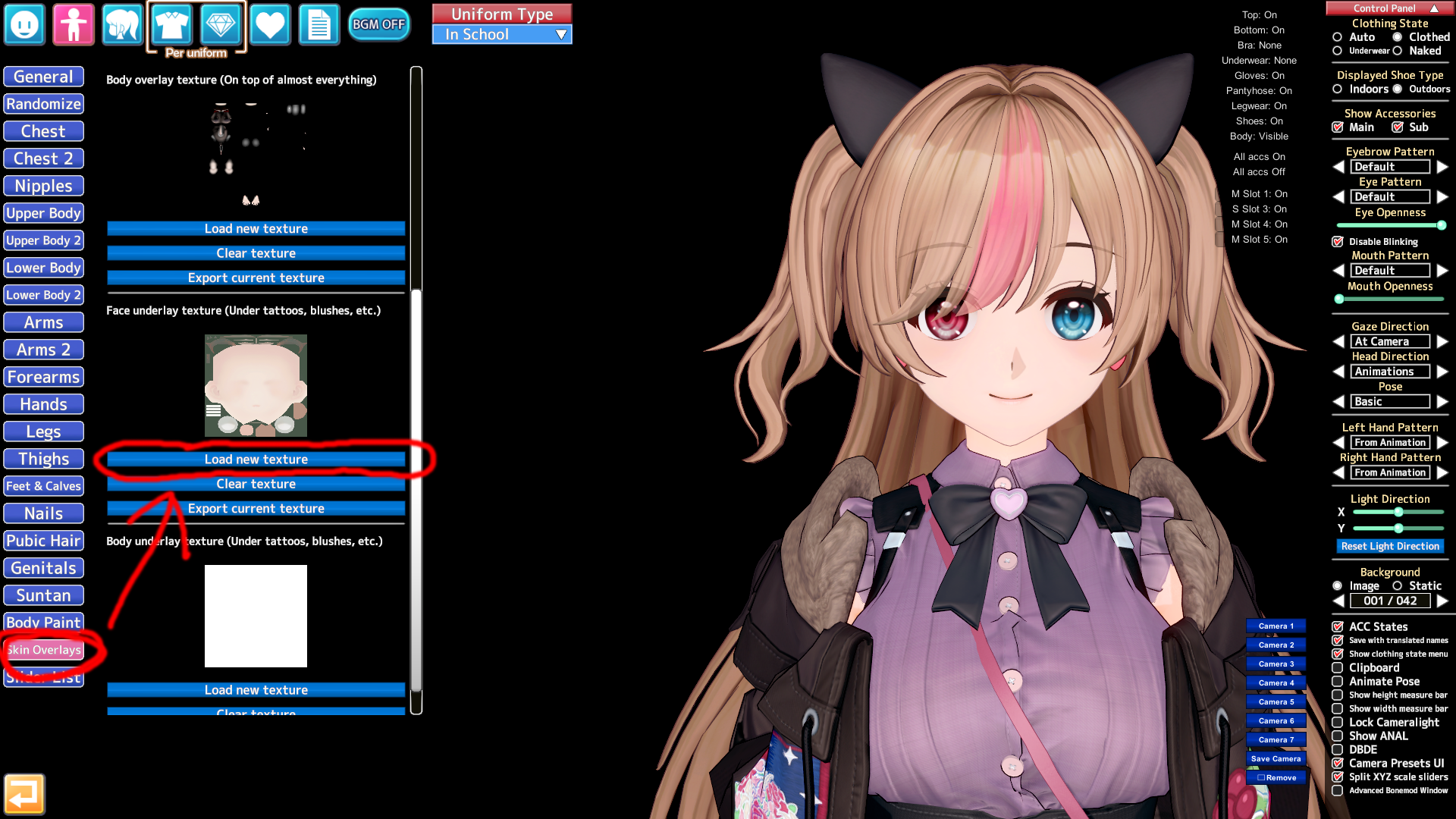
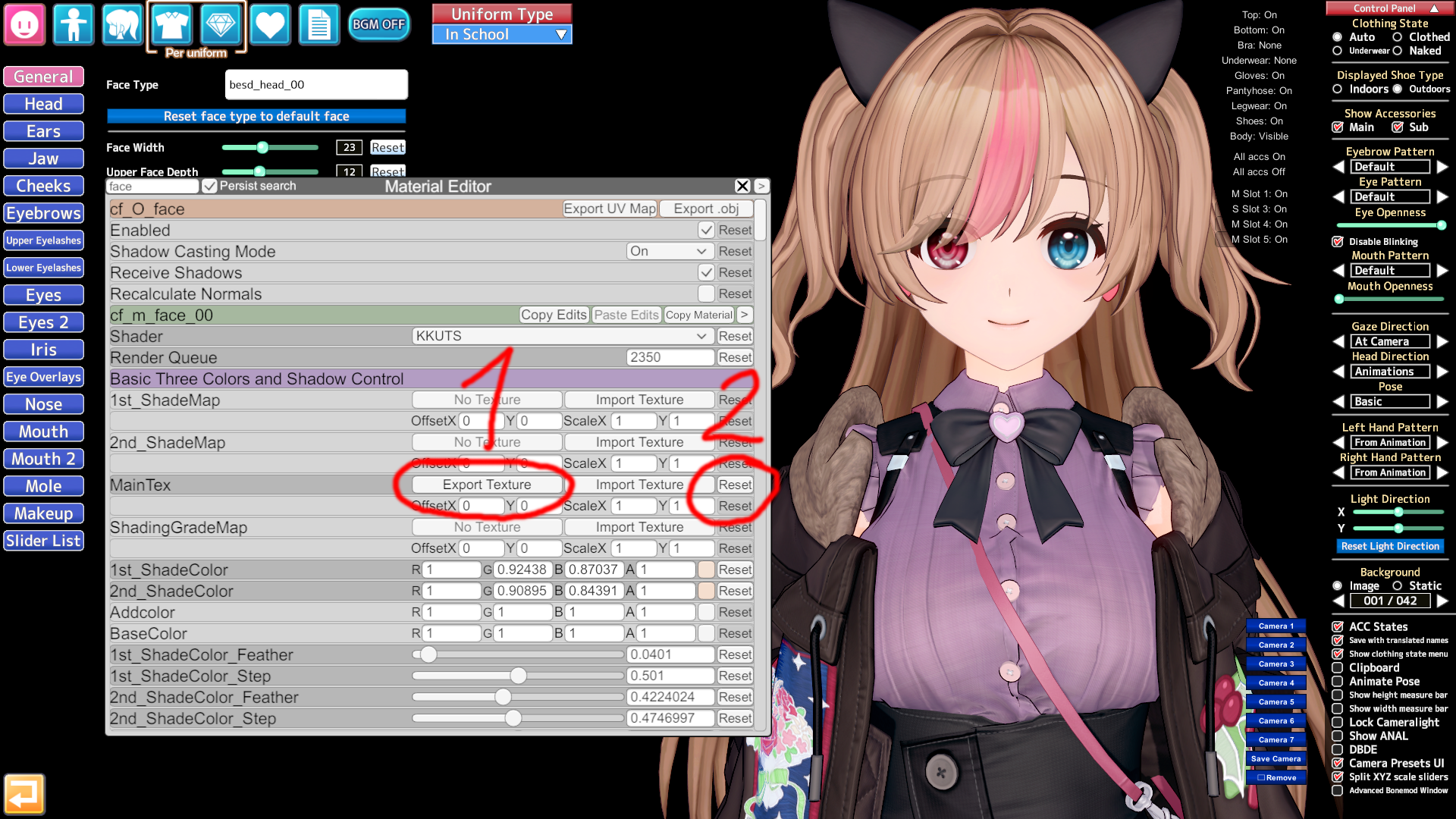
There's a quick fix to this if you don't want to wait for me to upload the new version in 2 weeks:

Export the face texture
Then reset it
Don't change/reset the shader
zyPwq.png


After that go there and "load new texture" there (so Face underlay texture) and save the card

zyPdJ.png


After that you will need to remove any shading/highlight texture on the face, in the case above it appears next to the nose
It should be in the "Face" and then "Makeup" tab

I think that should fix those issues.
 

Similar threads

X
Replies
0
Views
337
xya繁星
X
F
Replies
4
Views
2K
marjanpoimija
marjanpoimija
Top
これは閲覧専用の自動翻訳ページです。返信・検索・ログインなどの操作は、オリジナルの英語版サイトへ移動してください。 英語版で開く (Open in English) ×