[ILLUSION] Koikatu! - Card Sharing Request Thread 2.0 (Restart)

Biboo

Biboo

Member
Joined
Jan 26, 2026
Messages
10
Reaction score
21
Points
3
Credits
875
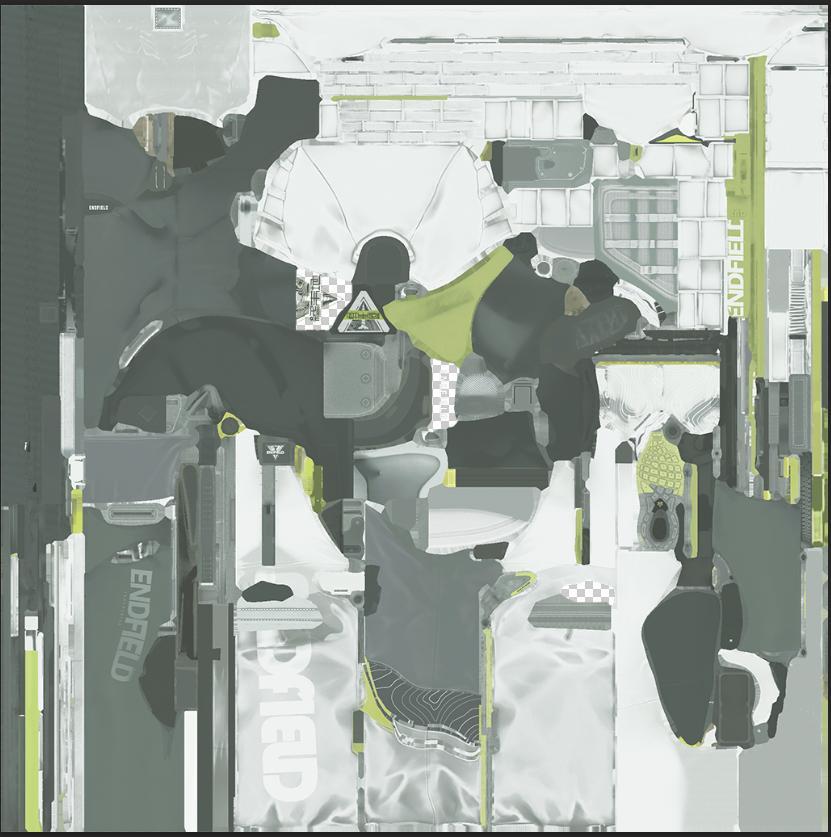
This is probably the wrong place to ask, but does anyone happen to own photoshop or any other good color editing software, and know how to do color replacement? I've got colors I need to replace without breaking the pattern set, sheen, and the main texture so it still looks like what it was meant to be, but it would seem the editing softwares I have aren't up to snuff when it comes to that ordeal.
Hello, I'm new here. This might work for what you need, but this is what I used to use in HS back in the day for anything photoshop related https://www.photopea.com/
 
ChrisPunch87

ChrisPunch87

Active Member
Joined
Jan 29, 2026
Messages
34
Reaction score
55
Points
18
Credits
1,080
Anyone have last 2 jabobco scenes and one scene from Pandora?

This ones:
Jabobco:

Pandora

 
ps321

ps321

Veteran Member
Joined
Aug 22, 2025
Messages
79
Reaction score
327
Points
53
Credits
4,040
This is probably the wrong place to ask, but does anyone happen to own photoshop or any other good color editing software, and know how to do color replacement? I've got colors I need to replace without breaking the pattern set, sheen, and the main texture so it still looks like what it was meant to be, but it would seem the editing softwares I have aren't up to snuff when it comes to that ordeal.
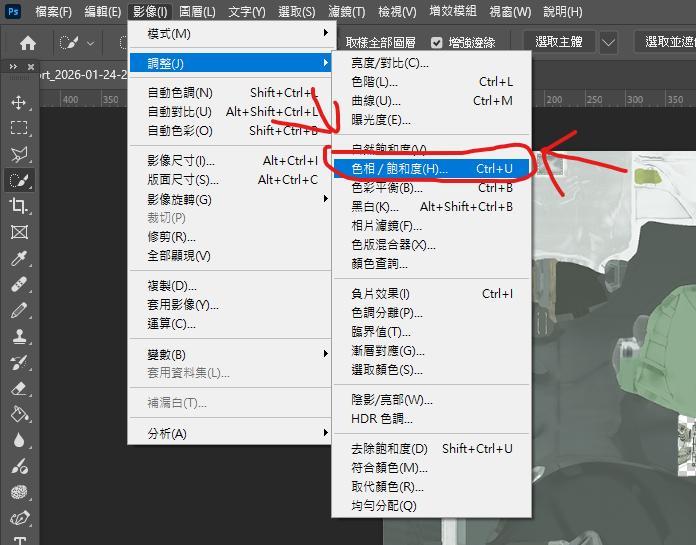
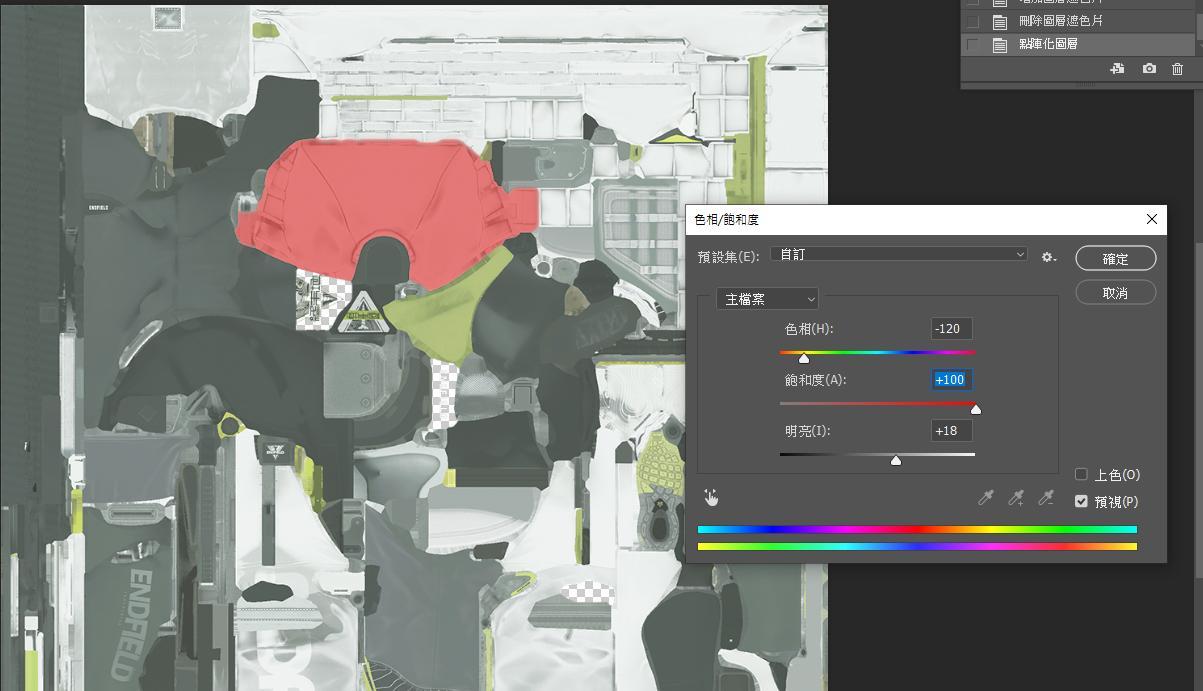
When using Photoshop to change colors without modifying the image, I usually use this method: Image > Adjustments > Hue/Saturation. The downside of this method is that it doesn't work for black and white areas.
Another method, if I remember correctly, can also be achieved using a cropped mask.
But this requires knowing how to use layers.
 
Last edited:
xmg71206

xmg71206

Veteran Member
Joined
Aug 17, 2025
Messages
111
Reaction score
800
Points
93
Credits
8,559
This is actually quite common. On Xianyu, a second-hand trading platform in China, you can often see people listing items at low prices with the caption "For display only, not for sale, price is the purchase price."

So why are they listing it but not selling it? It's just to attract clicks, drive traffic to themselves, and incidentally show off their superiority: "Look, you want to buy the same thing at a lower price? Don't dream about it. I can, but you can't."
Some Koikatsu players are the same; they display their waifus like they're embracing their girls on a public beach—you can look but you can't touch them. Other KK creators also do this; they showcase their work to demonstrate their abilities and make it easier to secure commissions.
long-tu.jpg
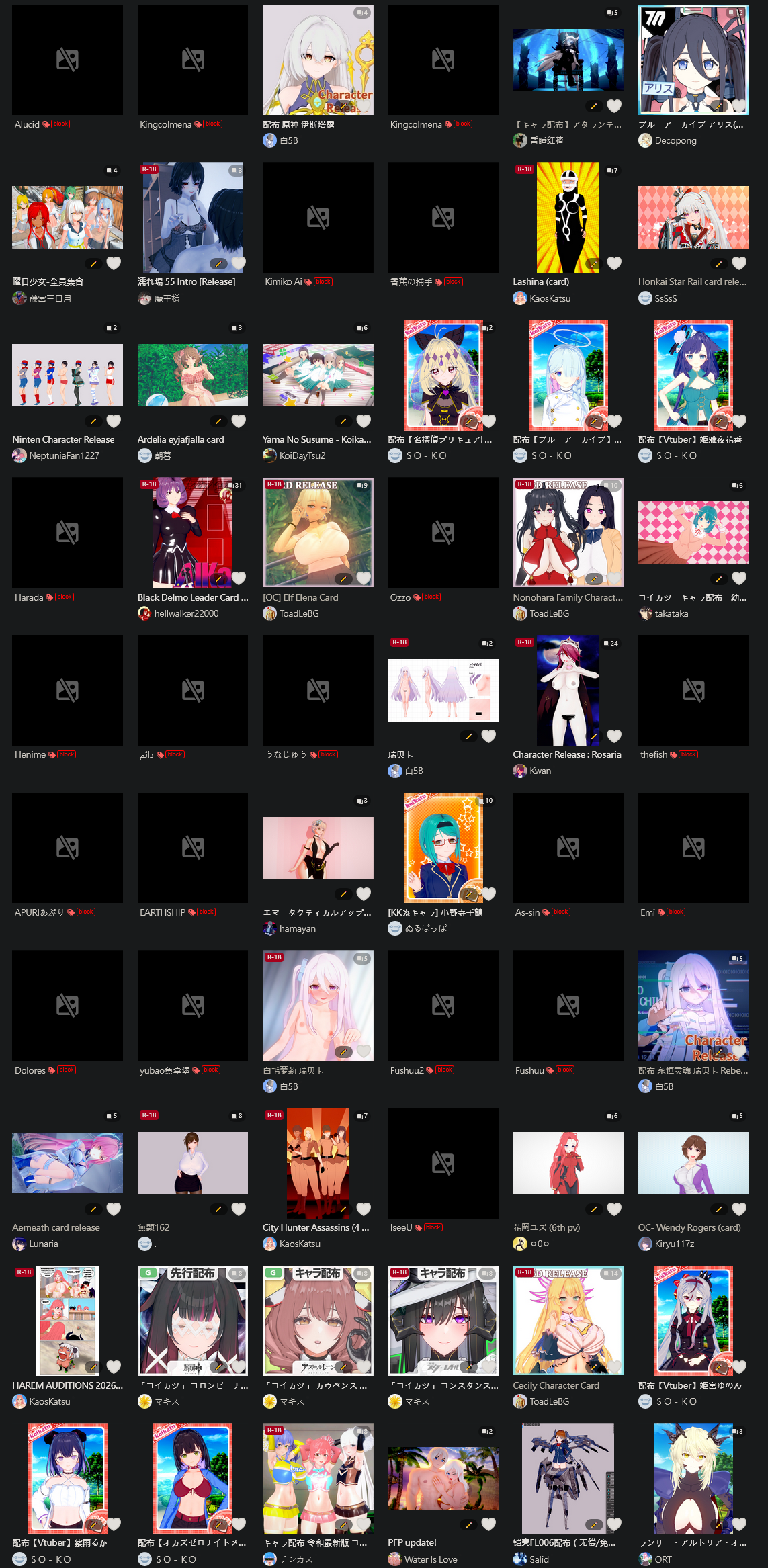
So my pixiv looks like this

Basically all insincere fake authors, if they want me to pay for a card,
I'll block them all + report
because why not?
 
Last edited:
C

cortic

New member
Joined
Jan 15, 2026
Messages
19
Reaction score
7
Points
3
Credits
310
Find the guy name KK Donald's and access his treasure box
thanks but it looks like their files are on terabox and im not too sure about downloading a suspicious app just for that though sadly, and im only looking for one card. If anyone can provide just gold city's card and mods ill be happy with just that.
 
Guardian

Guardian

Veteran Member
Joined
Jun 6, 2025
Messages
588
Reaction score
460
Points
63
Credits
8,221
When using Photoshop to change colors without modifying the image, I usually use this method: Image > Adjustments > Hue/Saturation. The downside of this method is that it doesn't work for black and white areas.
Another method, if I remember correctly, can also be achieved using a cropped mask.
But this requires knowing how to use layers.
Thanks for the input, but I posted this because I don't own photoshop, so thats why I was looking to see if anyone in here might be willing to help out with what I'm wanting to do.
 
Biboo

Biboo

Member
Joined
Jan 26, 2026
Messages
10
Reaction score
21
Points
3
Credits
875
Thanks for the input, but I posted this because I don't own photoshop, so thats why I was looking to see if anyone in here might be willing to help out with what I'm wanting to do.
Gotcha, yeah I don't use photoshop anymore, but that website IS photoshop for free which is nice for anyone who needs it lol
 
N

noideasforanusername

Well-known Member
Joined
Mar 22, 2025
Messages
58
Reaction score
111
Points
33
Credits
1,870
So my pixiv looks like this

Basically all insincere fake authors, if they want me to pay for a card,
I'll block them all + report
because why not?
blocking goats like apuri isn't a good thing. he does release stuff for free. (unlock alucid and yubao too, good creators, even if their stuff is paid)
 
YuLeo

YuLeo

KK Master
Joined
Nov 19, 2025
Messages
91
Reaction score
1,926
Points
83
Credits
26,585
Alucid Perlica
 
xmg71206

xmg71206

Veteran Member
Joined
Aug 17, 2025
Messages
111
Reaction score
800
Points
93
Credits
8,559
He often changes his name to prevent others from leaking or tracking down his works. People usually call him gue.
I’ll also share a complete collection of his works up to September 30. https://gofile.io/d/2hEJw1
If you want to download it, do it immediately—he actively searches for and reports leaked links, so these links rarely survive more than 12 hours
Sadly, I was too tired yesterday to catch up in time
If have the chance, I hope you can post again

so i show my sincerity
Arctic fox(MAXIM) collection for My compilation
Probably not all of them ,should be missing something. 188 pics
Maybe useful Maybe not ,IDK,I just want the sd of gue.
 
S

Stigma

KK Master
Joined
Apr 5, 2025
Messages
661
Reaction score
3,941
Points
93
Credits
46,004
Sadly, I was too tired yesterday to catch up in time
If have the chance, I hope you can post again

so i show my sincerity
Arctic fox(MAXIM) collection for My compilation
Probably not all of them ,should be missing something. 188 pics
Maybe useful Maybe not ,IDK,I just want the sd of gue.
Here
 
trpotat22

trpotat22

Veteran Member
Joined
Dec 27, 2025
Messages
65
Reaction score
620
Points
83
Credits
7,185
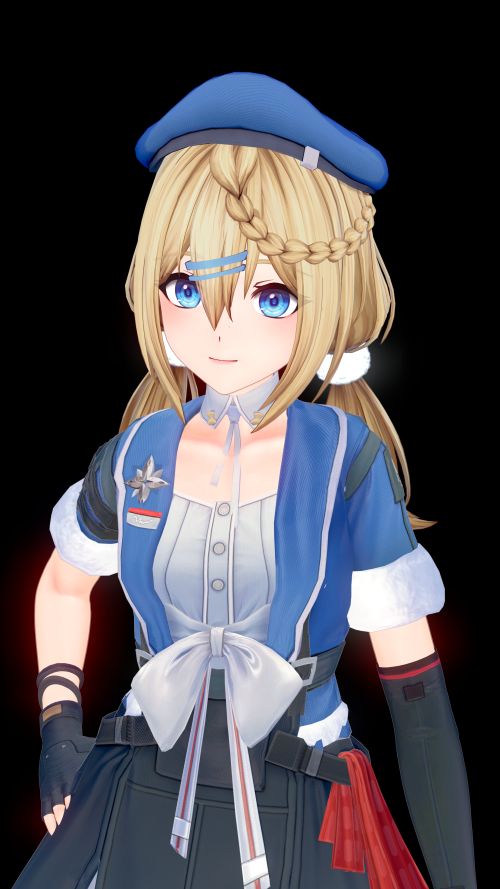
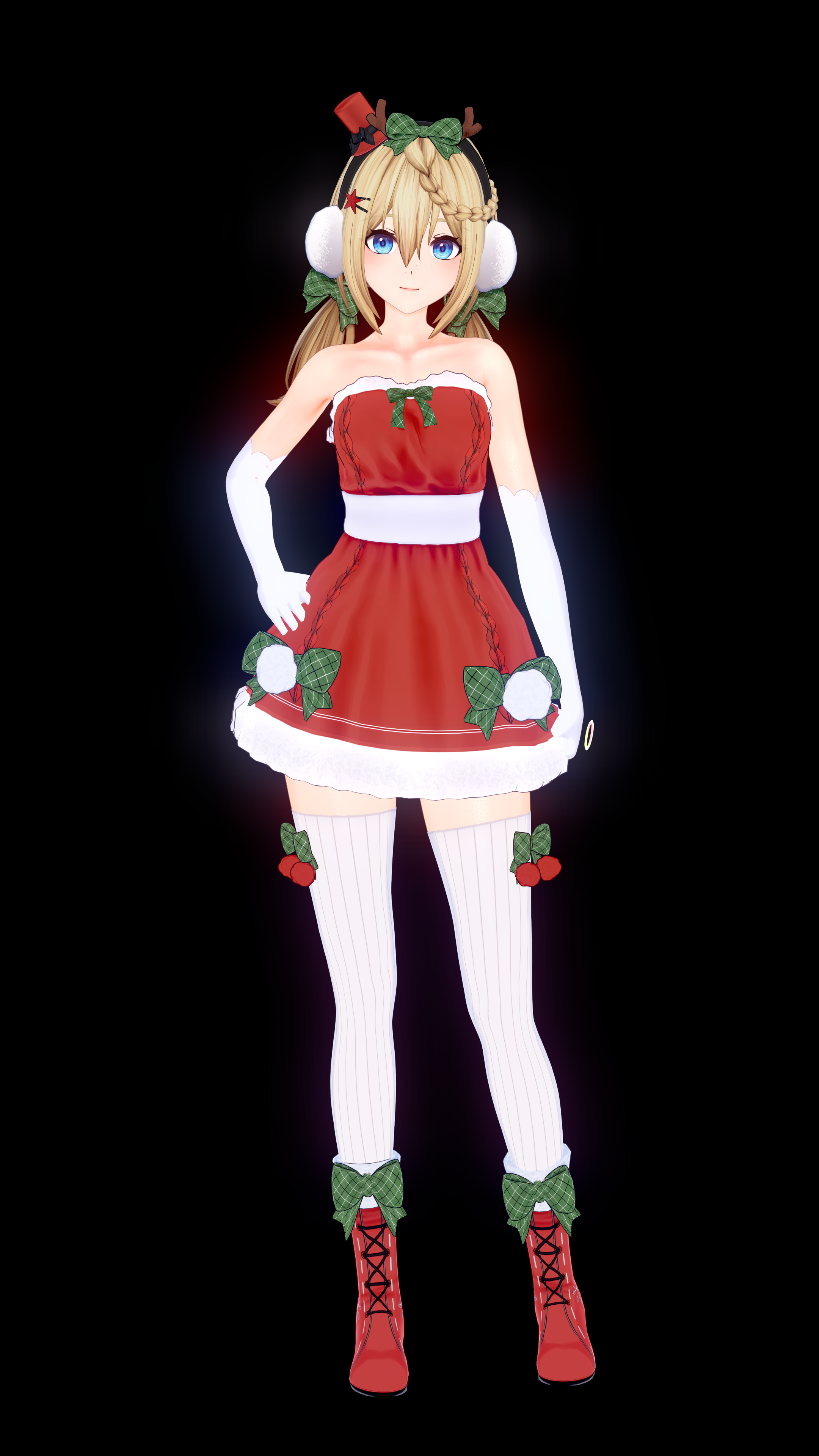
I updated the Papasha card that I uploaded before if anyone is interested in that

The hair color is a little bit improved to get it much closer compared to what is in GF2.
CaaHs.md.png


Also added a new outfit based on the Girls Frontline 1 outfit:

CabeZ.png

I might make the other one as well (eventually)

Thank you for sharing the cards. May I ask did you also have this weird fishnet pattern appearing on socks and gloves?
You probably won't need to modify that one now
 
Last edited:
ps321

ps321

Veteran Member
Joined
Aug 22, 2025
Messages
79
Reaction score
327
Points
53
Credits
4,040
Thanks for the input, but I posted this because I don't own photoshop, so thats why I was looking to see if anyone in here might be willing to help out with what I'm wanting to do.
The website the other person posted should also be able to do the methods I just mentioned and the methods I'll explain next, because it seems to have most of the functions. However, I switched to Photoshop from that website a while ago, so I can only use Photoshop to explain.
https://www.photopea.com/
This is the method of using a masking film
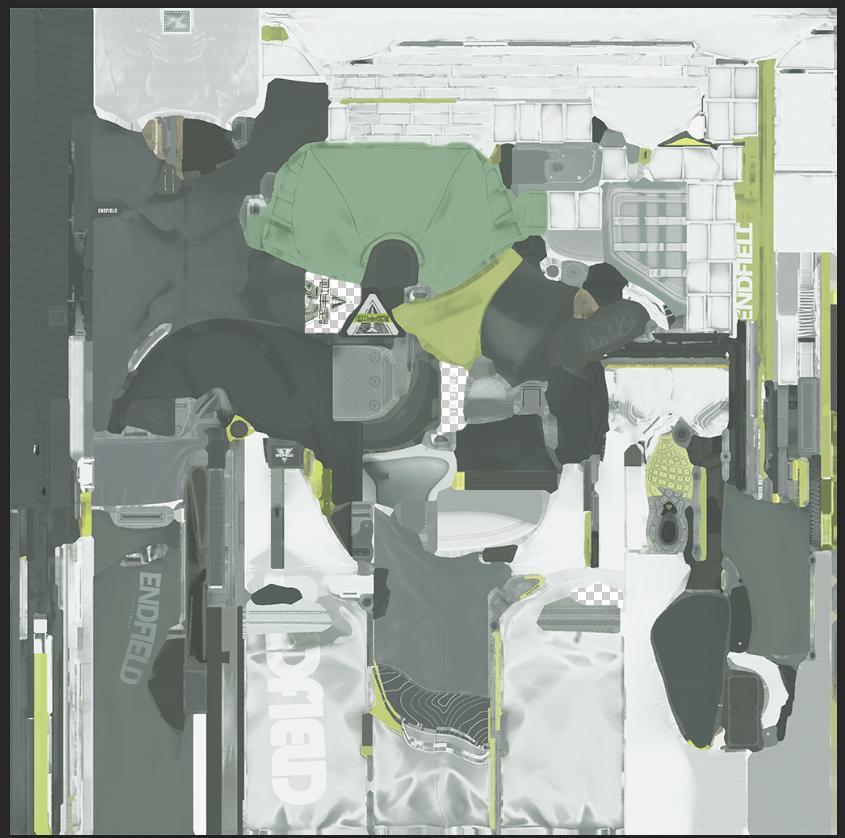
e4f682d0f9b1e30242dc44d2e0edd588.JPG

Let's take this picture as an example
fe1427bed6bc893eece48c27bb9395b0.PNG

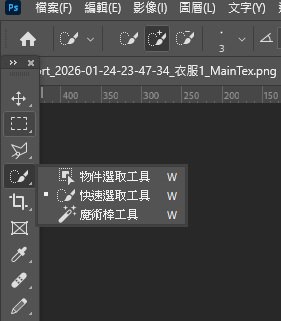
Find the selection tool you want to use (the quick selection tool or the magic wand tool are both highly recommended)
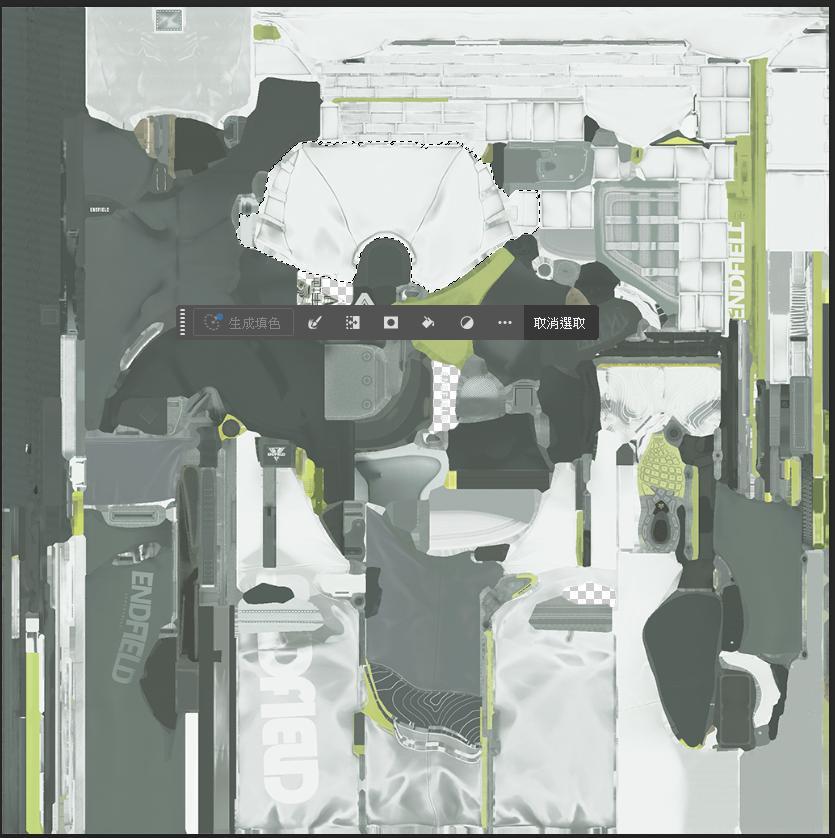
9c43c8b25bacc2975ce94619ad0aba16.JPG

I'll first select this part as the area where I want to change the color.
d29baa28462bdf399d45fecba7dcfea9.PNG

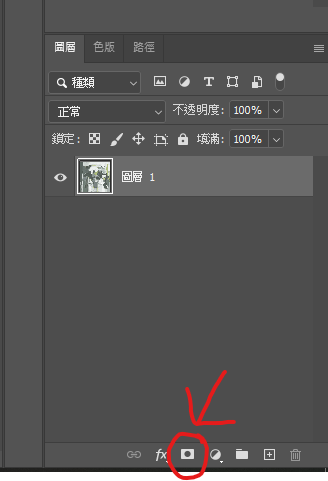
There's an option to create a mask in the bottom right layer area.
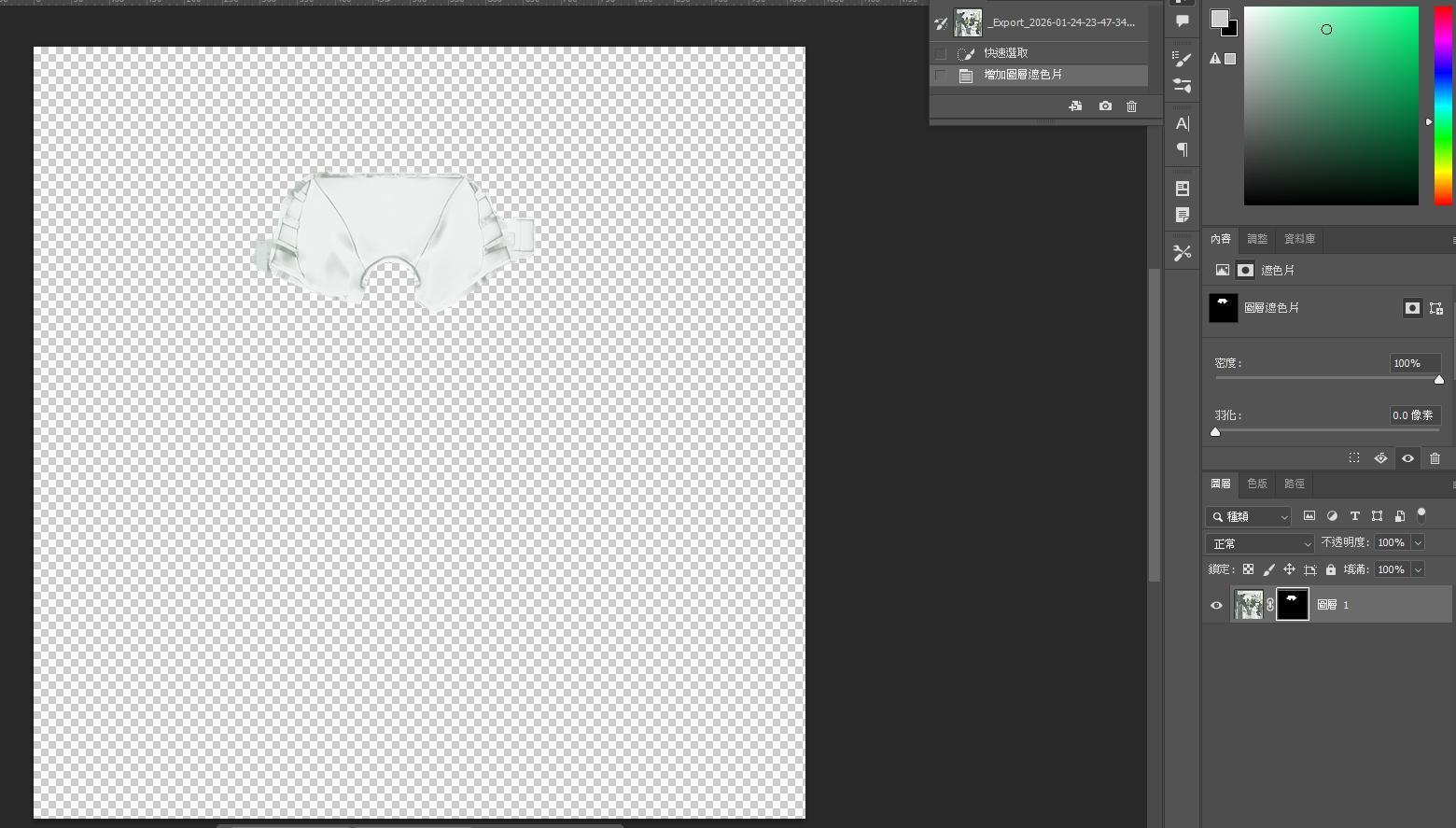
9ca9b2a15bcc49ae7c52f208a9d8c11b.JPG

After using it, the screen will look like this.
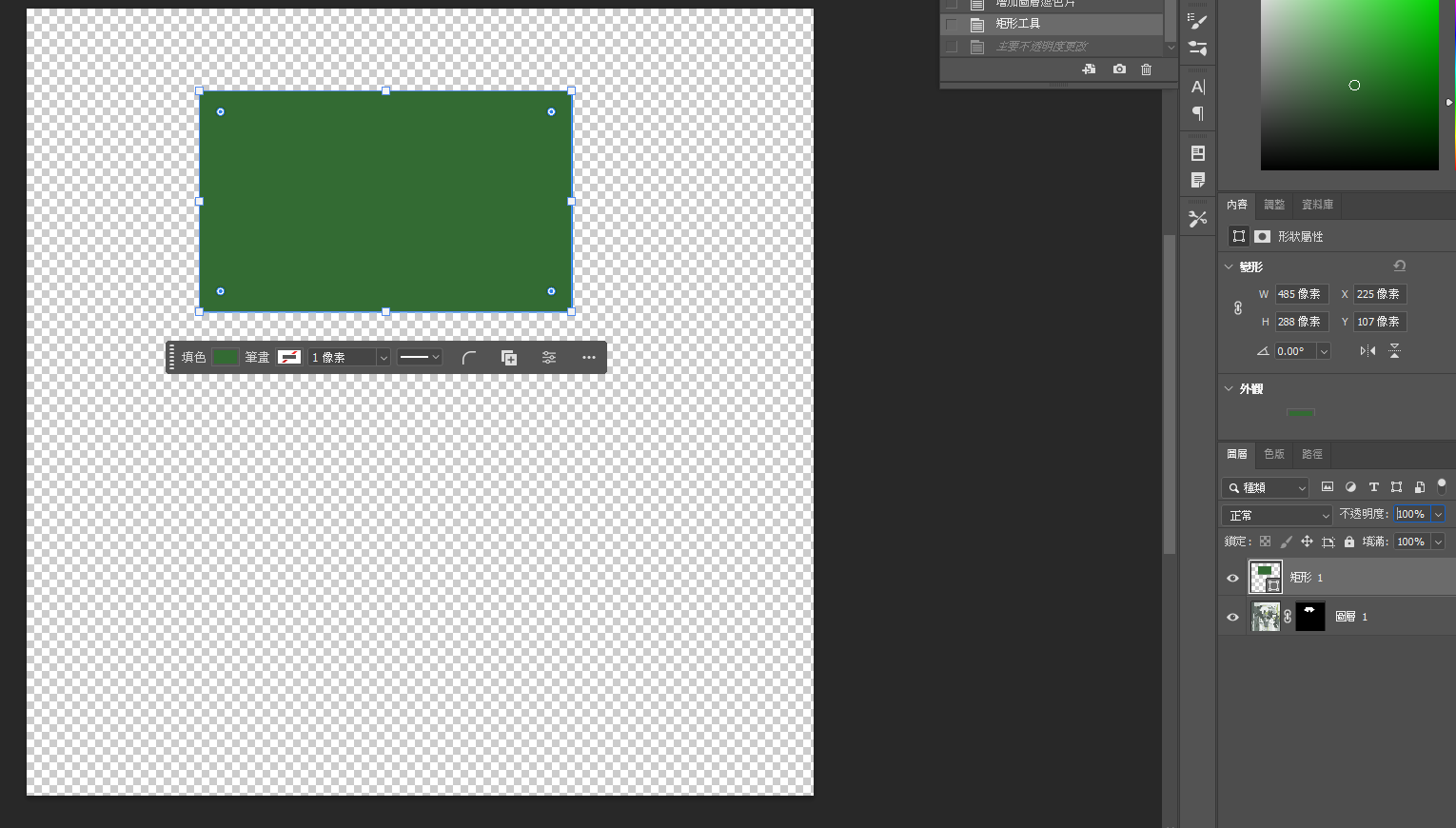
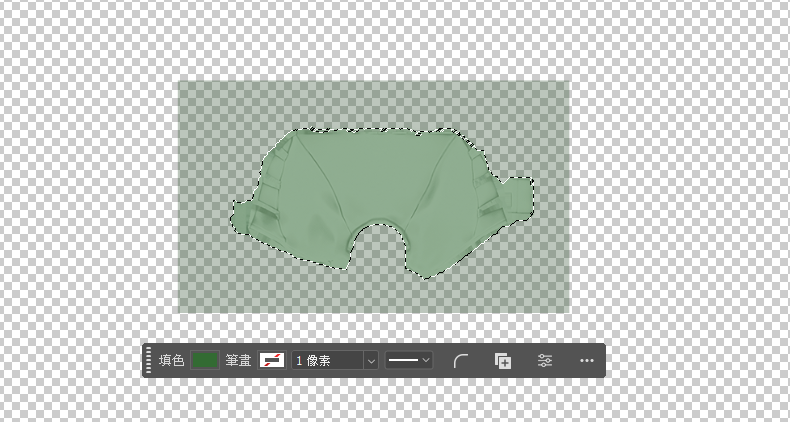
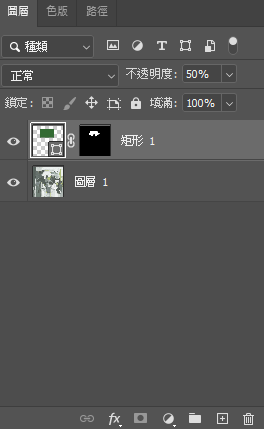
Next, we'll apply the color we want. First, click on the bottom right layer to confirm the working area is there. Then, use the rectangle tool to drag out a shape on my image to cover it up.
acea9b4d384fc91c6b956e0c1e59a991.PNG

Note that the color of the graphic produced at this point is the color we need to apply.
cf91b28cc09957b604423d537d8f6364.PNG

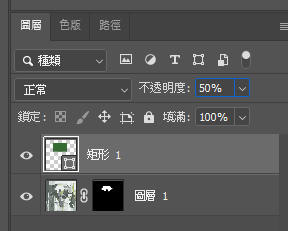
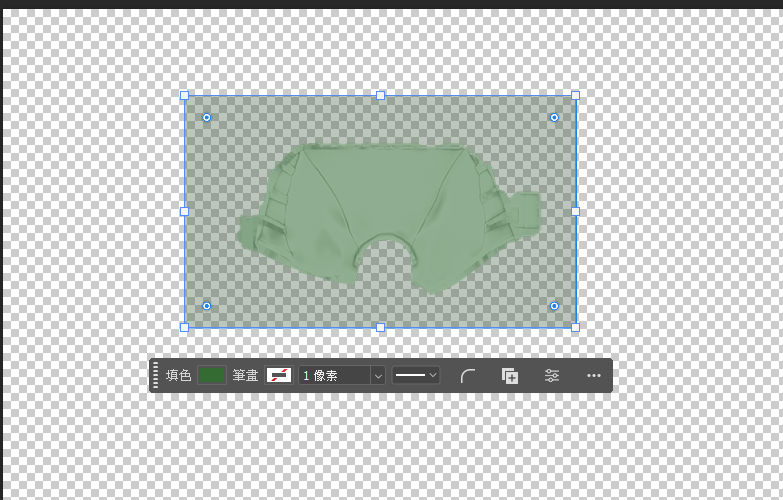
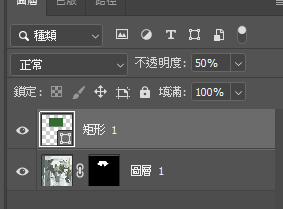
Go to the bottom right layer area and adjust the opacity to between 20% and 50% depending on the shadows you want to emphasize.
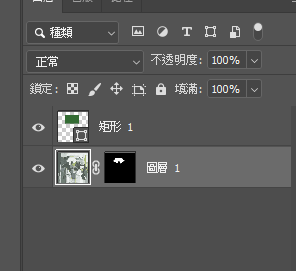
Remember to click on the initial layer to confirm the working area before performing the above steps (the bottom one in the image).
92b2998e3c7167c570603387ca65fe55.PNG

After use, it should look like the image above.
81216f143d184799b94e759944ee4181.PNG

First, confirm the work area.

70328200597d68212be1c62cae2d1f0b.PNG

Use the tools mentioned above to drag out the area again.
a4cf2c8f9a2b29af629267fae7acac26.PNG

Then switch back to the rectangular layer
Then create a mask
1527fb2d996abf37ee291730f7823332.JPG

Correctly looks like this
452793b94d6acfaecf99a3e604451e71.PNG

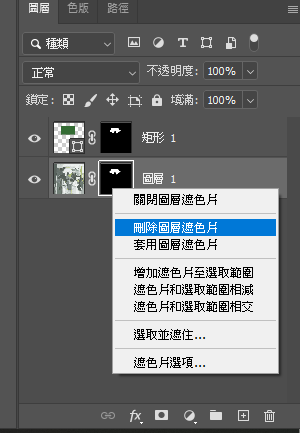
Then switch back to the initial layer, right-click on the area where you created the mask, and select either "Delete Layer Mask" or "Turn Off Mask" (choose according to your needs).
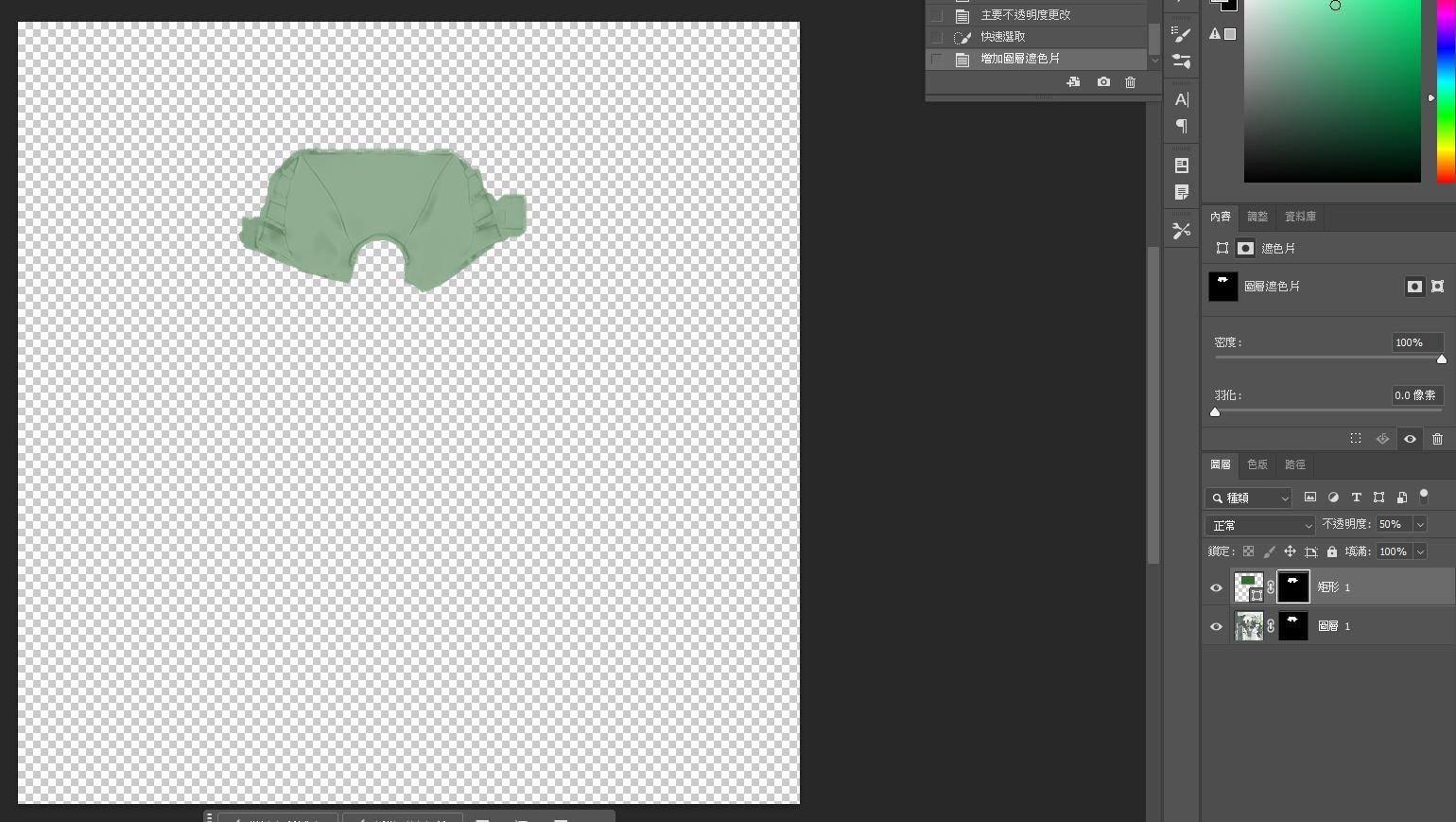
0df058e8b9ded5806d93ed3a61dc0614.JPG

What it will look like after completion
If you want to change the color after it's finished, check below.
35a9b16f7e53fbaaef0da5eaeec145d9.PNG

Click on the layer of the rectangular image to confirm the working area.
e914e5d64f88df864da36d8def39571f.PNG

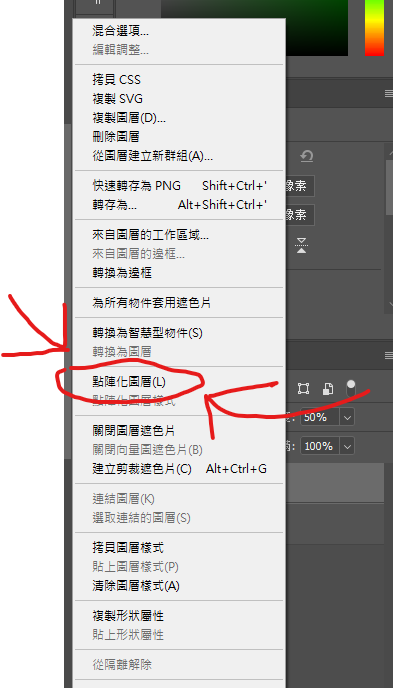
Then right-click on the layer and select Rasterize Layer (highlighted in red).
72e7c6c715f94a36875492c7746f3d82.JPG

Top left corner Image > Adjustments > Hue/Saturation
580ecb03af6adc8aff1dbbc2efc2dd79.JPG

Start adjusting

If the area you want to adjust has color, then at the beginning or when you select it, go to Image > Adjustments > Black & White

Because English is not my native language, there may be translation issues.

 
Durahan333

Durahan333

Senior Member
Joined
Jun 26, 2025
Messages
171
Reaction score
236
Points
43
Credits
3,015
does anyone happen to own photoshop or any other good color editing software, and know how to do color replacement?
ye can try GIMP, I always use dat for material edit, but i remember it need additional plugin, forgot what it was
free ofc
 
S

Stigma

KK Master
Joined
Apr 5, 2025
Messages
661
Reaction score
3,941
Points
93
Credits
46,004
Noname1999

Noname1999

Active Member
Joined
Jan 27, 2026
Messages
22
Reaction score
64
Points
13
Credits
880
Dearest deleted his gumroad and mbd too

I hope someone here saved one archive of his free and leaked stuff, because looks like this is the end.
Yeah. His VRC cards has higher quality than Istia. So bad he deleted his accounts because I could still access to those links like 2 weeks ago.
 
0

0w0w0w0

New member
Joined
Jan 14, 2026
Messages
5
Reaction score
7
Points
3
Credits
155
Does anyone have this card?

 
mrbruh

mrbruh

New member
Joined
Nov 15, 2025
Messages
6
Reaction score
4
Points
3
Credits
420
undercut

undercut

Well-known Member
Joined
Feb 11, 2025
Messages
91
Reaction score
116
Points
33
Credits
1,410
Does anyone know the author of this Makoto(Princess Connect)?

 
Ecchizen-Ryoma

Ecchizen-Ryoma

Senior Member
Joined
Jan 18, 2026
Messages
19
Reaction score
163
Points
28
Credits
2,420
Hey guys、Why is this guy only setting the prices of FGO cards so high...
If it was $35→15 I'd buy it easily.
Does anyone have his FGO cards?


↓This is a gift, bros.
 
NeoNeg

NeoNeg

Veteran Member
Joined
May 8, 2025
Messages
118
Reaction score
377
Points
63
Credits
4,415
anyone got 莫宁/モーニエ (Alucid)


LordBubnub

LordBubnub

KK Master
Joined
Oct 9, 2025
Messages
385
Reaction score
1,206
Points
93
Credits
13,987
anyone got 莫宁/モーニエ (Alucid)


It was posted awhile back. Good thing it's still up. You can get it here

 
Magnam

Magnam

Active Member
Joined
Jan 5, 2026
Messages
4
Reaction score
60
Points
13
Credits
860
LordBubnub

LordBubnub

KK Master
Joined
Oct 9, 2025
Messages
385
Reaction score
1,206
Points
93
Credits
13,987
Does anyone have a scene that perfectly copies genshin or star rail's shaders, shadows, outline, and lighting? Example, I put any of OoOoO's characters in the scene and it looks just like the game.
 
mimicozzz

mimicozzz

KK Master
Joined
Dec 21, 2024
Messages
172
Reaction score
2,311
Points
93
Credits
25,229
[BONO] Kim Cheong-wol
 
F

firelord69

Active Member
Joined
Dec 23, 2025
Messages
29
Reaction score
35
Points
13
Credits
700
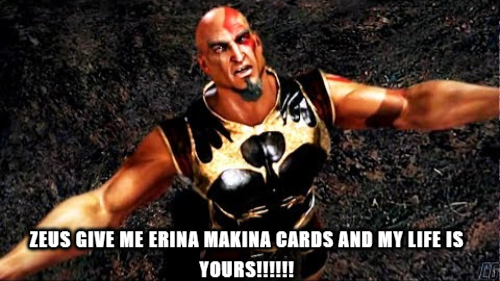
IF SOMEONE HAS AN ERINA MAKINA CARD TO SHARE

MY LIFE IS YOURSSSSSS


IVE WASTED MONTHS OF MY LIFE TRYING TO FIND A SINGLE CARD ON EVERY PART OF KOIKATSU AND IVE ONLY FOUND ONE AND THE CREATOR DOES NOT SHARE HIS CARDS
 
LongColor

LongColor

Active Member
Joined
Aug 14, 2025
Messages
33
Reaction score
62
Points
18
Credits
1,235
This is probably the wrong place to ask, but does anyone happen to own photoshop or any other good color editing software, and know how to do color replacement? I've got colors I need to replace without breaking the pattern set, sheen, and the main texture so it still looks like what it was meant to be, but it would seem the editing softwares I have aren't up to snuff when it comes to that ordeal.

I have a pre-activated copy of Photoshop that I've been using on all my laptops for the past couple of years. It's an older version, but photoshop is photoshop. Just set it up and photoshop should be properly installed


Similar threads

S
Replies
2K
Views
572K
I
kloeny233
Replies
1
Views
12K
kloeny233
kloeny233
Top
これは閲覧専用の自動翻訳ページです。返信・検索・ログインなどの操作は、オリジナルの英語版サイトへ移動してください。 英語版で開く (Open in English) ×